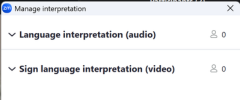
LISTENING (Audio Interpretation)
THE GLOBE ICON: Click the Interpretation (Globe) icon in the bottom toolbar ( globe icon).
SELECT LANGUAGE: Select the language you speak.
MUTE ORIGINAL AUDIO: Select “Mute Original Audio” if you want to hear only the interpreter.
SPEAK SLOWLY: Steady pacing helps both the interpreters and the AI.
DO NOT switch languages mid-sentence or the AI will stop working.
Official Zoom Documentation (Participant Use)
English
Powered by OneTap
Default

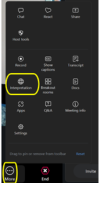
 globe icon).