February 20 – 22
There is a
SOLUTION
GROUNDED IN
RECOVERY
1. Start or join a zoom meeting
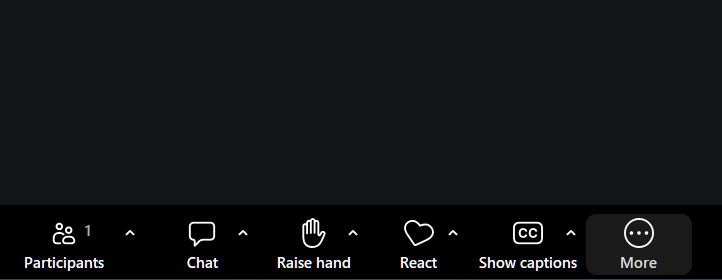
Look at the bottom task bar n Zoom.
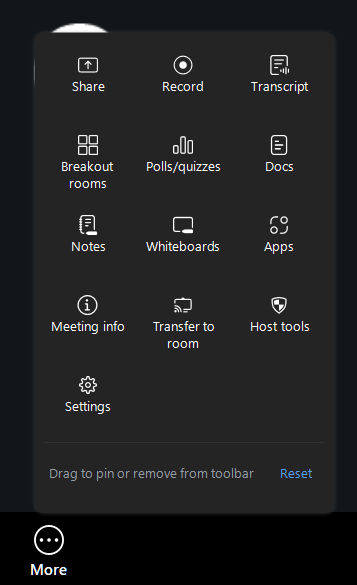
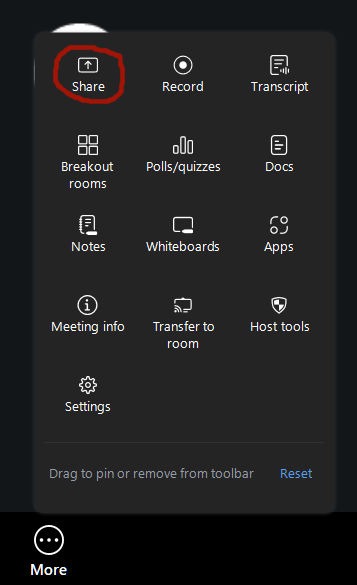
2. Click the “More Button” and a window will pop up. Find “Share screen” and click on it.
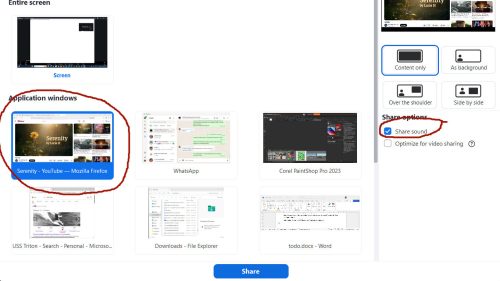
3. Select the screen or application to share.
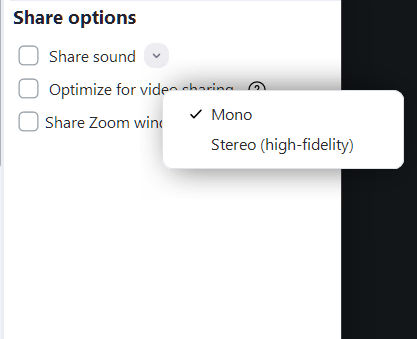
4. Check the Share sound box in the bottom corner.
6. (Optional) Click the down arrow to choose Mono or Stereo (High Fidelity) audio.
7. Click Share.
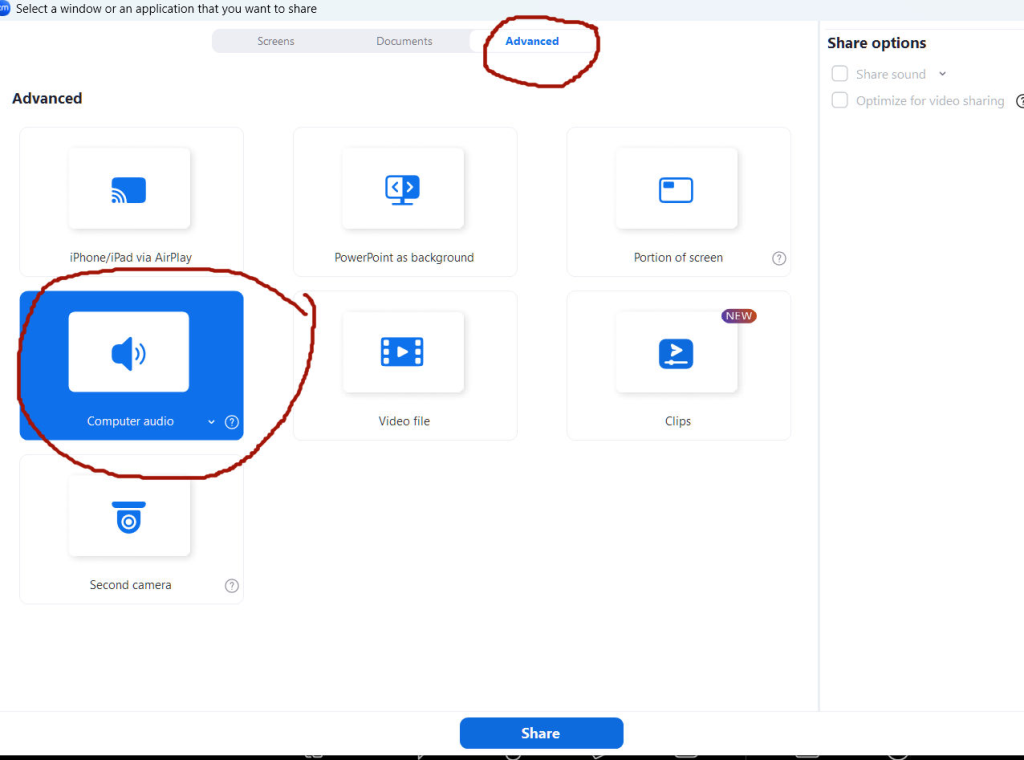
2. Click the “More Button” and a window will pop up. 3. Find “Share screen” and click on it.
3. Select the Advanced tab at the top then …4. Select Computer Audio
5. Click Share.
1. If Audio is too loud, adjust the volume of the application (e.g., Spotify, YouTube) on your computer, not just the Zoom volume.
2. To stop, click Stop Share at the top.
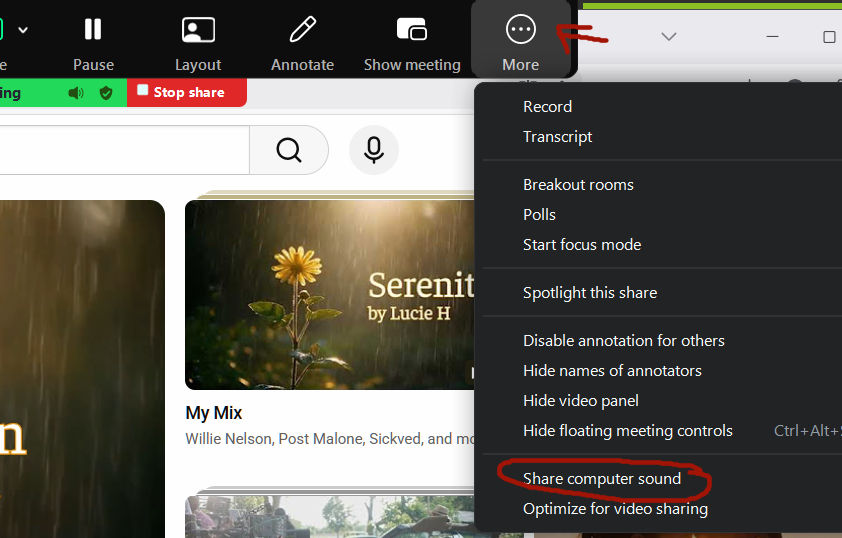
When sharing hit the more button in the top stask bar. A window will pop open and you will see share computer sound, click on it.