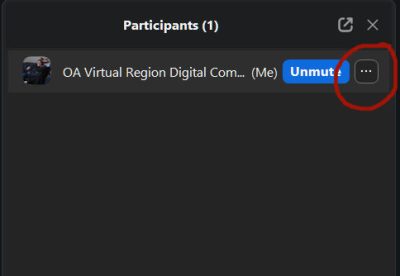
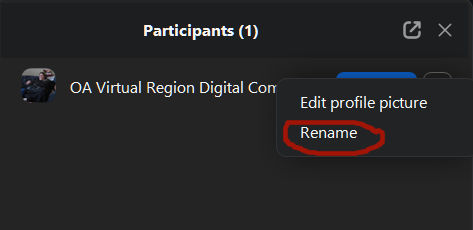
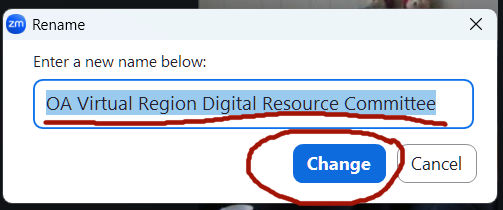
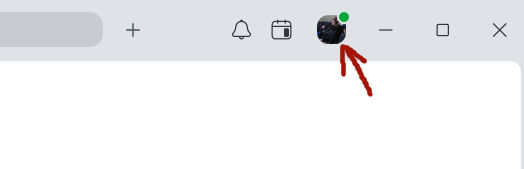
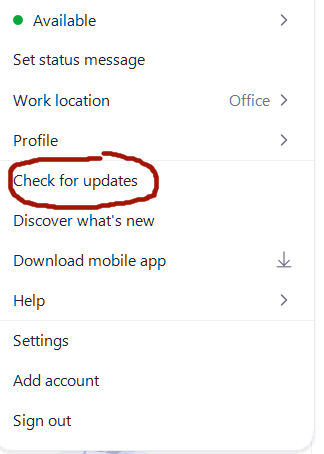
2. Click your profile picture in the top task bar,
Hint: It is always good to check for zoom updates here…
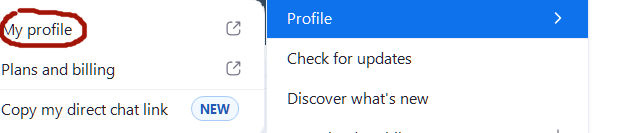
3. then click Profile.. then click My profile.
3. A new web browser window will open where you sign into your Zoom account you can edit your name in the Zoom web portal.
4. By your account profile name, click Edit.
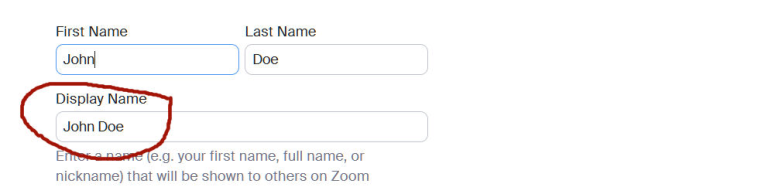
5. Here you will find your name for your account.(usually your full name)/ If you don’t want to use your full name just Edit your Display Name,
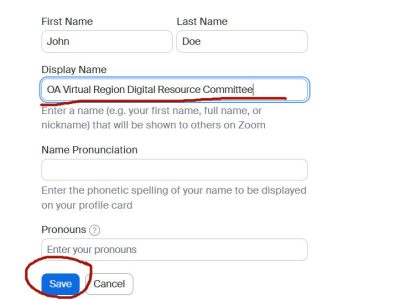
enter your first name and initial (or however you are to display your name in the meeting) this will be shown to others on Zoom
6. Click Save.
This will remain for every meeting as a default until it is changed here.
How to change your name on Zoom when joining a meeting
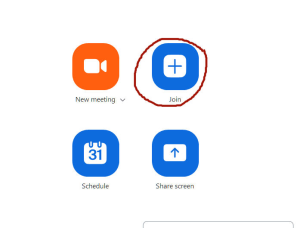
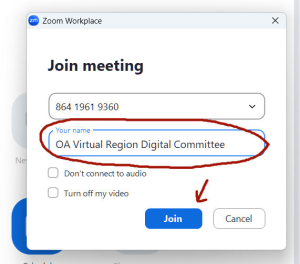
No matter what your default display name is on your Zoom account, you are able to change your name when Joining any meeting where they have enabled that feature.
You enter the meeting ID then below you also have the option to update your name. (What appears is what you have made default in your Zoom account). You have an option to change it here for any meeting.
Click Join
How to change your name on Zoom during a meeting
If you have forgotten to change your name the above 2 ways, if the host has enabled the Allow participants to rename themselves setting, you have the option to rename yourself during a meeting. When hosts disable this setting, you will not see the option to rename yourself.




 .
.
 .
.